
Stats HUD
Be sure to add the HUD to your outfit (or ensure it attaches to the same attach point as the AnE HUD)
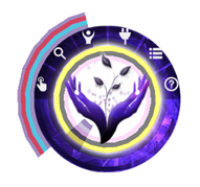
HUD Stats Bar
GREEN: Fertile\ RED: Health\ TEAL: Defense\ YELLOW: Consciousness
BLACK: Strength
PINK: Arousal
WHITE: Essence
With the Stats HUD you now have indicators of your characters stats:
- The green bar will show up if you are in a fertile state.
- The red bar shows your current health; this stat defines your character life, if it should drop too low your character may actually pass away and no longer be useable.
- The teal bar shows your current defense; this stat gives you the option to respond in certain situations, if it drops too low you will not have an option to attempt resisting.
- The black bar shows your current strength; this stat determines the successfulness of an action you may take, it lowers based on how much effort was required to take that action regardless if it was successful or not.
- The pink bar will show your current arousal; this stat determines when you may climax or climax involuntarily, the higher the value the more essence that is transferred and higher probability of conception.
- The white bar will show your current essence; this stat is the amount seed available, having maximum arousal ensure the most amount of essence transferred on climaxing.